Προσφέρουμε καθημερινά ΔΩΡΕΑΝ λογισμικό με άδεια χρήσης, που θα αγοράζατε σε διαφορετική περίπτωση!
Giveaway of the day — Smart Game Booster Pro 4.2.1
Smart Game Booster Pro 4.2.1 ήταν διαθέσιμο ως προσφορά στις 15 Ιανουαρίου 2020!



Smart Game Booster Pro New Year Special Sale 2020
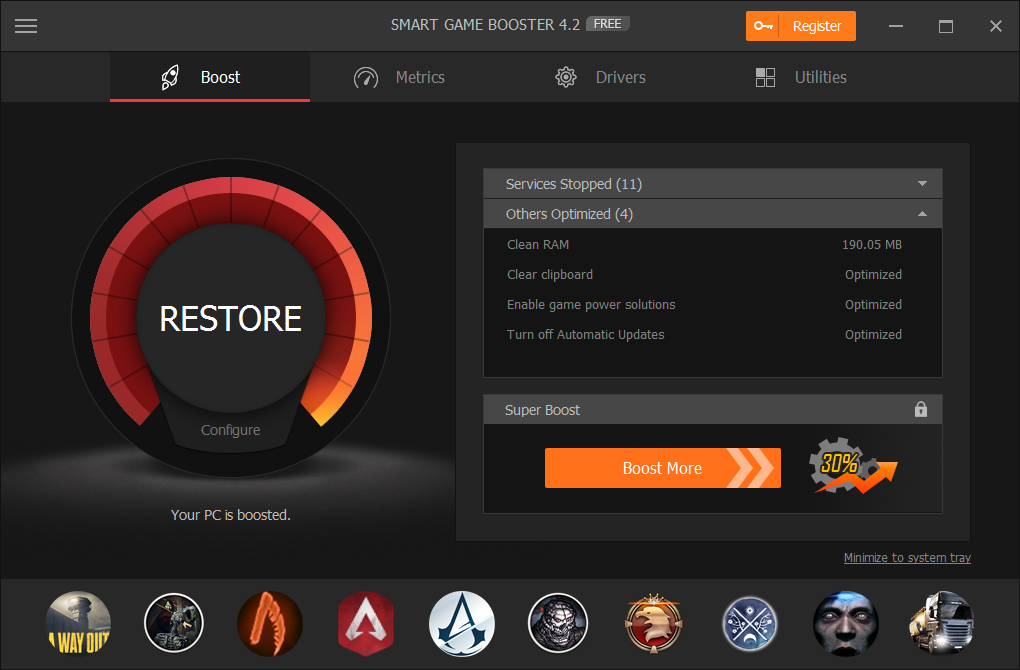
Έξυπνο Παιχνίδι Booster είναι ένα εύκολο στη χρήση αλλά και αποτελεσματικό παιχνίδι βοηθητικό πρόγραμμα βελτιστοποίησης, απαραίτητο για κάθε παίκτη που θέλει μια ομαλότερη εμπειρία gaming.
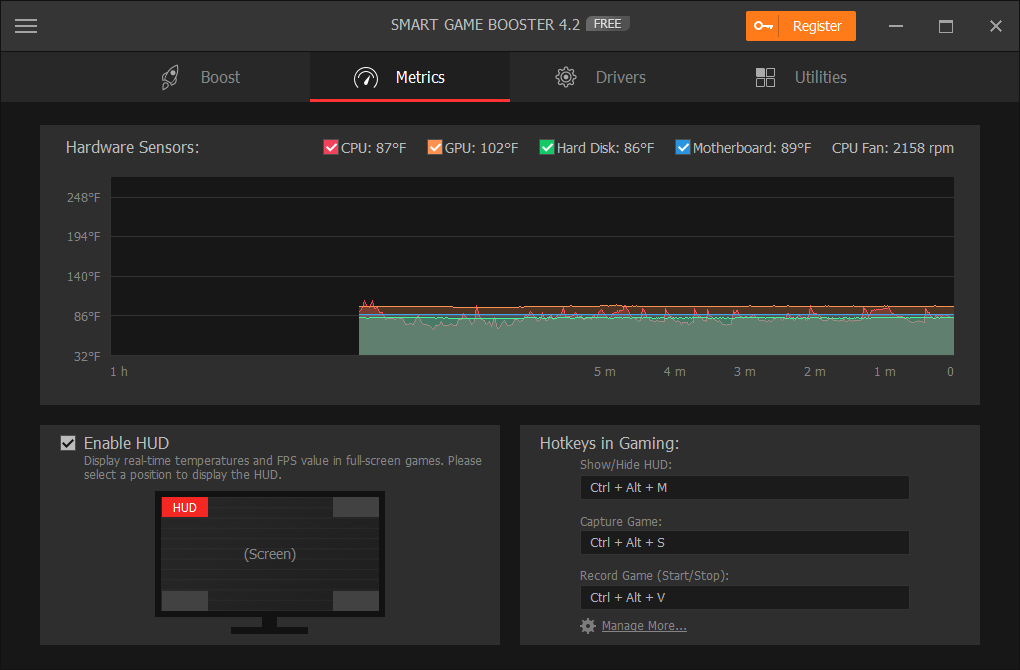
Αυτό βοηθά στην αύξηση των FPS και να εντείνουν την απόδοση του επεξεργαστή για την κορυφαία απόδοση του παιχνιδιού με τη δολοφονία διαδικασίες και εφαρμογές περιττά για gaming με μόλις 1 κλικ. Βοηθά επίσης τους παίκτες για να ξεκινήσει τα παιχνίδια απευθείας μετά την ώθηση και την επίδειξη η θερμοκρασία της CPU και GPU σε πραγματικό χρόνο, ενώ gaming.
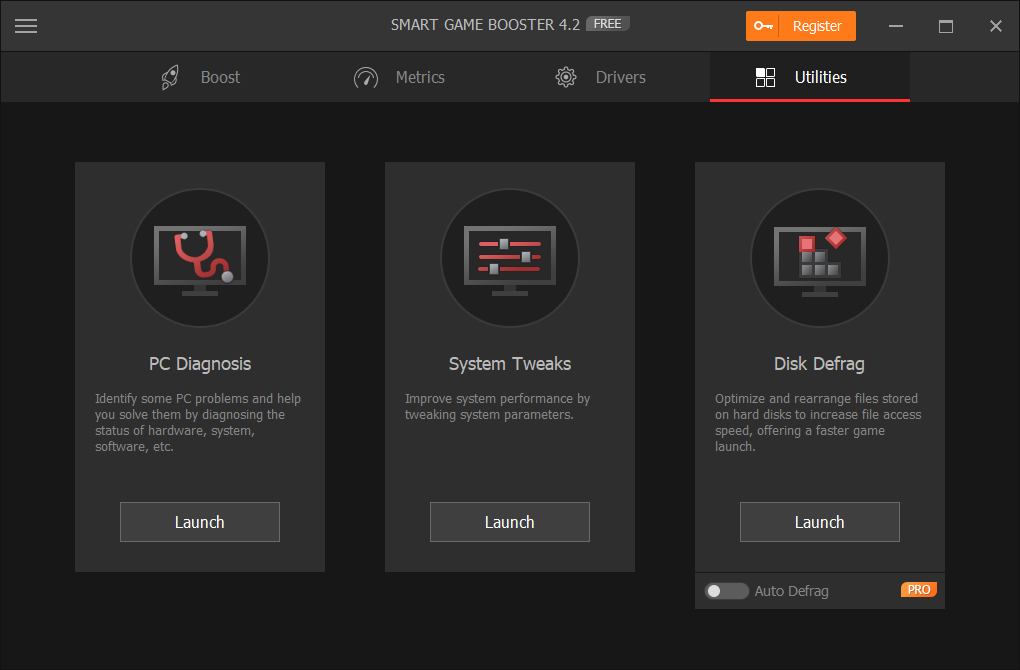
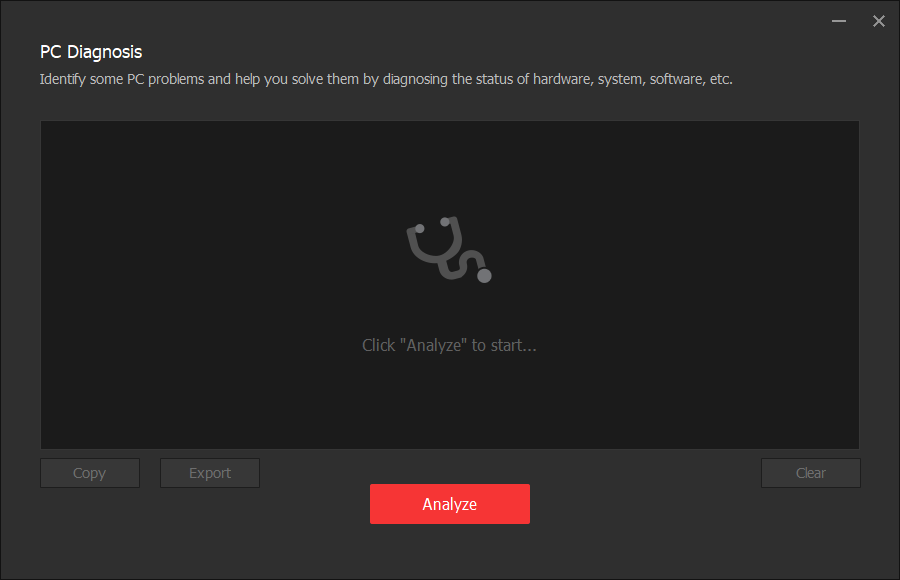
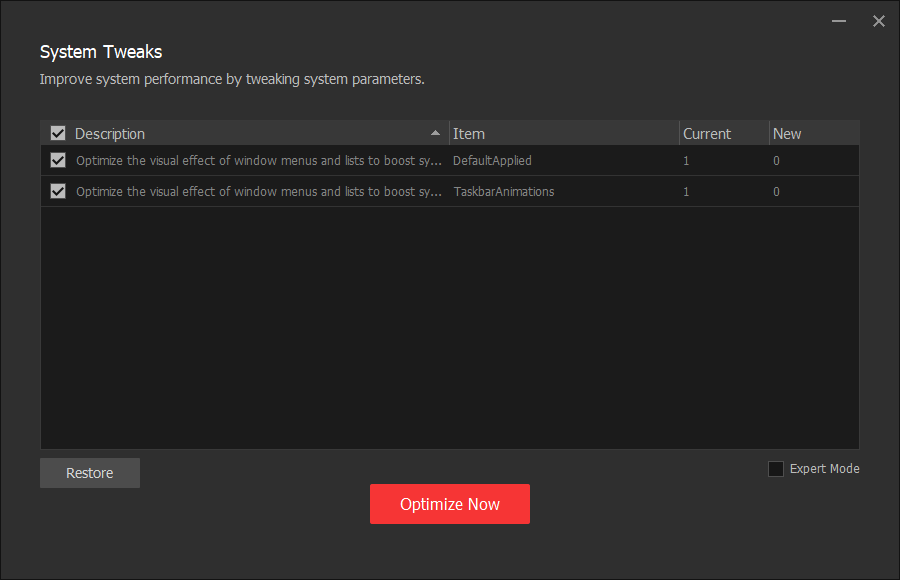
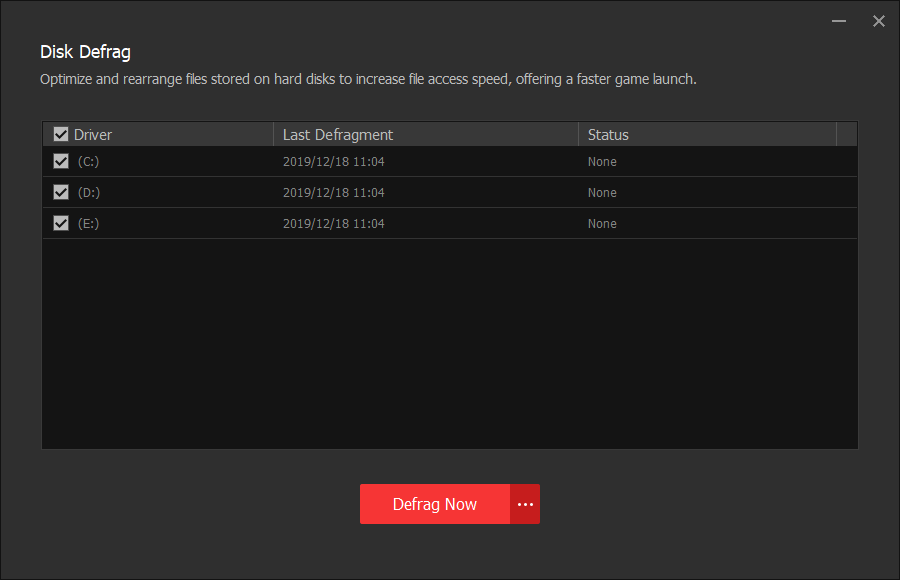
Το πιο πρόσφατο Έξυπνες το Game Booster, με ένα ολοκαίνουργιο περιβάλλον εργασίας χρήστη, παρέχει τρία χρήσιμα βοηθητικά προγράμματα (PC Διάγνωση, το Σύστημα Τσιμπήματα, και Disk Defrag) για να βελτιώσει περαιτέρω την απόδοση του ΥΠΟΛΟΓΙΣΤΉ σας. Μπορείτε επίσης να πάρετε ένα screenshot ή ένα βίντεο στο gaming με ευκολία. Τι περισσότερο, με το νέο hardware acceleration τεχνολογίας, Σούπερ Ώθηση προστίθεται για να βοηθήσει τους χρήστες να κάνουν overclock CPU&GPU για βέλτιστη οπτικά εφέ στο gaming.
Ας ακολουθήσουμε αυτό το γρήγορο οδηγό για να ξεκλειδώσετε τις πλήρεις δυνατότητες του συστήματος σας κατά τη διάρκεια συνεδρίες τυχερών παιχνιδιών.
Τι Νέο υπάρχει:
+ NEW Super Boost - Overclock πιο Nvidia και AMD κάρτα γραφικών
+ ΝΈΑ Αυτόματη Ενημέρωση Οδηγών - Ενημερώσετε τα προγράμματα οδήγησης αυτόματα, ενώ το σύστημα είναι αδρανές
+ ΝΈΑ Auto Defrag Δίσκου - Defrag σκληρούς δίσκους αυτόματα, ενώ το σύστημα είναι αδρανές
+ ΝΈΑ Μην Ενοχλείτε - Δεν υπάρχουν ειδοποιήσεις από το Smart το Game Booster, όταν σε πλήρη οθόνη το έργο ή το καθορισμένο πρόγραμμα εκτελείται
+ Πιο Ισχυρή Ανίχνευση - Εντοπισμός περισσότερα παιχνίδια από δημοφιλείς πλατφόρμες τυχερών παιχνιδιών, συμπεριλαμβανομένων το Steam, Origin, Επικό, Uplay, και BattleNet
+ Βελτιωμένο περιβάλλον χρήστη για μια πιο φιλική προς το χρήστη εμπειρία
+ Προστέθηκε Ρωσικά
+ Σταθερό γνωστά σφάλματα
The current text is the result of machine translation. You can help us improve it.
Προαπαιτούμενα:
Windows XP (Home, Professional, Media Center, Tablet Edition) Vista/ 7/ 8/ 10 (64-bit)
Εκδότης:
Smart Game BoosterΣελίδα:
https://www.pcgameboost.com/index.phpΜέγεθος Αρχείου:
19.8 MB
Licence details:
6 months
Τιμή:
$19.99
Προτεινόμενοι τίτλοι
50% OFF for 1 Year subscription, Personal use - $ 19.99 ($39.99)
81 % OFF for 1 Year subscription, Available on 3 computers, Only $7.66 for each computer!
GIVEAWAY download basket




Προσφορές για iPhone »





Προσφορές για Android »





Σχόλια σχετικά με το Smart Game Booster Pro 4.2.1
Please add a comment explaining the reason behind your vote.
THIS IS ONLY FREE FOR 6 MONTHS
Save | Cancel
Am I dreaming?! Do I see "Licence details" in the blue box!
Sorry, I do not know anything about this software but just had to comment to say THANK YOU to the GOTD team for finally adding that information as a permanent field! Happy New Year!
Save | Cancel
Installed on a I7-8550U laptop. Installation and registration was simple.(readme file) Added CPUz and ran benchmark. There was no difference in the processor score. Actually, it was a few point lower with Smart Game Booster running. But it does a quick and easy job of stopping running processes so gaming could possibly be better.
Save | Cancel
Great way to mess up your computer. If you want to game, buy a gaming computer.
Save | Cancel
It's a gimmick, you can not get more speed of the CPU because when the temperature of CPU rises it gets slower. I burnt few CPUs in my life time using similar software. Get faster computer is the solution, not the disabling or enabling background drivers or applications.
Save | Cancel
Martin,
"you can not get more speed of the CPU because when the temperature of CPU rises it gets slower."
Yes, a CPU will throttle down if temps start to get close to a dangerous level, but there are all sorts of 3rd party CPU coolers that outperform what comes with the CPU in the box, and the overclocking community uses them.
"I burnt few CPUs in my life time using similar software. "
Smart Game Booster Pro only advertises that it lets you overclock the GPU. If you have a separate graphics card, overclocking the GPU is fairly common -- many models come with the GPU overclocked right out of the box. Overclocking a GPU that's part of the CPU is another story.
"Get faster computer is the solution, not the disabling or enabling background drivers or applications."
It depends... You're not going to get the same performance as a more expensive, higher end CPU, no matter what you do. But you can kill the performance of any CPU if you have too many CPU intensive processes running. It's just common sense that if the CPU is already being used at 25% of its capacity, you only have 75% left to run your games. Smart Game Booster Pro *might* be able to noticeably help performance, or not, by reducing the amount of CPU used by background tasks... not all processes can be stopped, and going from .7 to .5 % usage isn't going to have near the effect of dropping from 10% to 1 or 2 %. It really depends on what processes are running and how much CPU horsepower they drain.
Save | Cancel