Προσφέρουμε καθημερινά ΔΩΡΕΑΝ λογισμικό με άδεια χρήσης, που θα αγοράζατε σε διαφορετική περίπτωση!
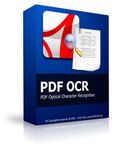
Giveaway of the day — PDF OCR
PDF OCR ήταν διαθέσιμο ως προσφορά στις 1 Ιουνίου 2010!

To PDF OCR είναι βασισμένο στην τεχνολογία OCR για την μετατροπή σαρωμένων εγγράφων, και βιβλίων σε επεξεργάσιμα ηλεκτρονικά αρχεία κειμένου, εύκολα και γρήγορα. Το PDF OCR ενσωματώνει επεξεργαστή κειμένου ο οποίος σας επιτρέπει να επεξεργαστείτε τα αποτελέσματα του κειμένου ocr χωρίς να έχετε το MS Word.
Το PDF OCR υποστηρίζει επίσης μαζική μετατροπή σε OCR όλων των σελίδων ενός αρχείου pdf σε κείμενο. Το PDF OCR έχει μια σαρωμένη εικόνα του Image To PDF Converter, το οποίο σημαίνει ότι μπορείτε να δημιουργήσετε τα δικά σας βιβλία PDF.
Προαπαιτούμενα:
Windows ME/2000/XP/2003/Vista/7
Εκδότης:
PDFZilla.comΣελίδα:
http://www.pdfocr.net/Μέγεθος Αρχείου:
14.5 MB
Τιμή:
$39.95
Προτεινόμενοι τίτλοι
To JPG To PDF Converter είναι ένα εργαλείο για windows το οποίο μετατρέπει γρήγορα πολλές εικόνες σε ένα αρχείο pdf. Με το JPG To PDF Converter οι χρήστες μπορούν να δημιουργήσουν αρχεία PDF από αρχεία εικόνων όπως JPG, GIF, BMP, TIF, PNG και PSD.
Το MP3 Converter είναι ένα εύκολος στη χρήση μετατροπέας MP3. Με το MP3 Converter μπορείτε να μετατρέψετε οποιοδήποτε αρχείο βίντεο και ήχου σε μορφή MP3. Το MP3 Converter υποστηρίζει WAV, WMA, AVI, WMV, MOV, 3GP, MP4, FLV, VOB, DAT, MPEG κ.λπ.
Κατεβάστε μουσικά βίντεο από το YouTube Music videos και μετατρέψτε τα σε μορφές MP3,AVI,WMV,MOV,MP4,3GP. Κατεβάστε εκατομμύρια κομμάτια μουσικής από το YouTube, Δοκιμάστε το YouTube Music Downloader Τώρα!
To PDFTiger είναι εφαρμογή με την οποία μπορείτε γρήγορα και με ακρίβεια να δημιουργήσετε έγγραφα PDF από Word, Excel, PowerPoint, txt ή εικόνες. Το PDFTiger μπορεί ακόμα να μετατρέψει αρχεία PDF σε επεξεργάσιμα έγγραφα MS Word, RTF, απλά αρχεία κειμένου, εικόνες, αρχεία HTML, και Shockwave Flash SWF.
To MusicCut είναι μια εφαρμογή για windows που σας δίνει την δυνατότητα να κόψετε μεγάλα αρχεία βίντεο ή μουσικής σε μικρότερα μουσικά κομμάτια. Το MusicCut υποστηρίζει τα πιο δημοφιλή αρχεία βίντεο και ήχου όπως MP3, WMA, WAV, AMR, WMV, AVI, MPG, 3GP, MP4, FLAC, OGG, WMV, MOV κλπ., που σημαίνει ότι μπορείτε να κόψετε τα μουσικά κομμάτια όχι μόνο από αρχεία μουσικής αλλά και από αρχεία βίντεο.
GIVEAWAY download basket

Προσφορές για iPhone »





Προσφορές για Android »





Σχόλια σχετικά με το PDF OCR
Please add a comment explaining the reason behind your vote.
For Windows 7, do this:
After install, UNCHECK Run PDFOCR. Click Finish.
Right-click on the shortcut for the program, select the Compatibility tab, choose "Run ths program as an Administrator". Click OK.
Run PDFOCR. Click About, then Register.
The program will open a webpage. Leave it open and return to PDFOCR.
Enter the Key provided, click register.
The previously opened web page will change, indicating that it is registered. Click close and restart the program. It should then be registered correctly.
And to PDFZilla.com, really, you could have made this a lot easier.
Save | Cancel
#6: No, you don't need scanner. This is from PDF to text. You just need a PDF document and nothing else.
Save | Cancel
I suggest you download this but only to get the serial number - don't install the program but download the program from their web site www.pdfocr.net and install that version but use the GOTD serial number - worked for me.
I normally try this with othe GOTD as it gives me a `reinstallable' program
Save | Cancel
Many people appear to be confused about what this does. Some people have tried to explain. Please allow me to summarize and clarify:
There are two different ways that a PDF may show you a page:
- Formatted text with fonts and lines made up of individual characters
- A picture of a page
A third form is an overlapped combination of the two. Adobe makes an expensive, corporate product that does the OCR at the same time as the scanning. It shows you the image and has the OCR text hidden but selectable. But the basic two forms are still there, along with their basic limitations.
The first form starts with a Word file or other document. All the words are specified, the fonts, the spacing, etc., inside Word. The PDF contains all that information, usually as boxes, one for each line, and the PDF Reader puts that on your screen. The Reader BUILDS the image out of the text and font information in the PDF file.
The second form starts with a picture of the page. This picture was probably taken by a scanner, but it is just an image. As far as the file structure is concerned, it could be an album of baby photos. There are no words in the file, just image data.
PDF-to-Word converters work with the first type of PDF. They look inside the PDF file and find the text and the formatting details. Some just give you that with the individual PDF boxes, one for each line, the text, the font, and the position on the page. Some apply some intelligence and try to figure out which lines go together into a paragraph, but that information is usually not contained inside the PDF, it has to be figured out. The program has to interpret intent, with is more AI that file format conversion.
(A newer form of PDF from Adobe has "reflowable" text and does keep the paragraphs together. But that makes bigger files and the reflow can only be done if you edit the file with Acrobat Pro, so at this time most PDFs do not include reflowable text.)
This program is for the second form of PDF, where the file does not have the text, just a picture. This program uses OCR technology to figure out that one picture blob is an "A" and another similar picture blob is a "B".
Some people appear to expect that because a PDF-to-Word type of program can extract the font and tell you that some text is Ariel and some Helvetica, that this program ought to be able to do that too. But that is like comparing Morse Code to Mozart because they both have rhythm.
This program is about OCR, about recognizing the Optical Characters, reading the blobs. To expect it to recognize fonts too is way too much for today's technology. Even professional designers have trouble identifying exact fonts when they have full alphabets and high-resolution images to work with. Some OCR system do make guesses at fonts, sometimes guessing as many as four different fonts in the same word which you then have to manually fix. And, as I mentioned above in the limitations of PDF-to-Word converters, deciding what makes a paragraph is a bigger problem.
This program will save you the trouble of reading the page and retyping it. Mostly. The more fuzzy your images, the more mistakes it will make.
But it will not recreate the original source document for you.
I hope this helps,
August
Save | Cancel
As #1 commented... there is no noticeable support for non-English languages as advertised on the website.... which poses the question... is it a trimmed down version?
The software pulls all text from a PDF file seamlessly but it isn’t always in the format that you originally had on screen. Yes, it is all there, but if you want it to look good again (especially if you want it in a word document), you may have to pour yourself your beverage of choice and sit at the monitor for a while to have it looking the way you want it to. This is more evident if you are converting text from a table. The unformatted text doesn’t paste into an application such as excel easily... so again... you might be tweaking around with paste options for a while to get it how you like it. In all, it does what it says... converting text from a PDF document. However, adding the ability to format the text for easy past formatting would make the $39.95 price more attractive. A great deal for free though!
Save | Cancel