Προσφέρουμε καθημερινά ΔΩΡΕΑΝ λογισμικό με άδεια χρήσης, που θα αγοράζατε σε διαφορετική περίπτωση!
Giveaway of the day — mediAvatar HD Video Converter
mediAvatar HD Video Converter ήταν διαθέσιμο ως προσφορά στις 14 Δεκεμβρίου 2010!
Το mediAvatar HD Video Converter μπορεί να μετατρέψει εύκολα μορφές βίντεο ανάμεσα στους πλέον δημοφιλείς μορφότυπους HD όπως Full-HD 1080p, HD AVI, H.264/AVC, HD MPEG4 TS, HD MPEG2 TS, HD WMV, HD Quick Time, AVCHD (.mts, .m2ts), όπως και να μετατρέπει τα βίντεο HD σε οποιοδήποτε άλλο γενικό φορμά βίντεο, ενώ μετατρέπει και μορφότυπους βίντεο από μια μορφή σε άλλη, επιτρέποντας να αναπαραχθούν όλα τα είδη βίντεο σε iPad, iPod, iPhone, Apple TV, PSP, PS3, Zune, Blackberry, Android phones, 3GP κινητά τηλέφωνα και πολλά ακόμα.
Σημαντικά χαρακτηριστικά:
- Μετατροπή ανάμεσα σε όλες σχεδόν τις μορφές HD. Μετατρέψτε αρχεία βίντεο από μορφή HD σε SD (standard-definition). Μετατρέψτε ανάμεσα σε μορφές βίντεο SD. Εξάγετε ήχο από αρχεία βίντο. Μετατρέψτε αρχεία ήχου. Αντιγράψτε CD σε αρχεία ήχου.
- Παρέχει βελτιστοποιημένες μετατροπές και λύσεις για σχεδόν κάθε multimedia player της αγοράς: iPad, iPod, iPhone, Apple TV, PSP, PS3, Zune, Xbox360, PMPs, Wii, NDS, Blackberry, Android τηλέφωνα, 3GP κινητά τηλέφωνα, MP4 players, Windows Mobile συσκευές, και πολλές άλλες, ακόμα και σε sites διαμοιρασμού βίντεο όπως το YouTube.
- Επιτρέπει τον ορισμό πολλαπλών λύσεων μετατροπής για ένα αρχείο ώστε να το μετατρέψετε σε διαφορετικές μορφές με 1 φορά! Η εισαγωγή της τεχνολογίας CUDA της NVIDIA κάνει την κωδικοποίση/αποκωδικοποίηση (ειδικά για βίντεο high-definition) επιταχυνόμενη επί 5X σε οποιοδήποτε PC με κάρτα γραφικών που ενσωματώνει την τεχνολογία CUDA.
Προαπαιτούμενα:
Windows XP (SP2 or later)/ Vista/ 7
Εκδότης:
mediAvatar Software StudioΣελίδα:
www.mediavideoconverter.comΜέγεθος Αρχείου:
30.1 MB
Τιμή:
$39.99
Προτεινόμενοι τίτλοι
mediAvatar iPad Software Suite provides the perfect solution to backup iPad files to PC or iTunes, transfer movies, songs and photos from PC to iPad without using iTunes, as well as convert DVDs/CDs and various video/audio format files to iPad videos/music then transfer them to iPad. All iPad, iPhone and iPod models are supported.
mediAvatar iPod Software Suite is not only perfect iPod transfer software to transfer files between iPod and PC/iTunes, but also a powerful DVD ripper and video converter software to convert and transfer DVDs/CDs/videos/audios to iPod. All iPhone and iPod models are supported.
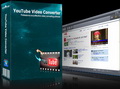
mediAvatar YouTube Video Converter provides a one-step “downloading + converting” solution to download and convert YouTube videos to other video formats for playback on your multimedia devices like iPod, iPhone, Apple TV, PSP, PS3, Zune, Blackberry, and 3GP mobile phones, with the support for the latest YouTube site. A built-in YouTube video browser makes it easier to browse, search and download YouTube videos.
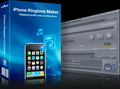
mediAvatar iPhone RingTone Maker, easy but powerful, can make iPhone ringtones of your own from almost all popular video and audio formats, and upload the ringtones to your iPhone directly after conversion in simply two steps. Fading effects can be added to the ringtone.
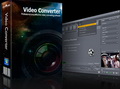
mediAvatar Video Converter supports decoding and encoding almost all high-definition and standard-definition video formats as well as audio formats, enabling the playability on all popular players. Meanwhile, it provides different video editing features (incl. clip, merge, split, add transitions/soundtracks/subtitles/watermarks, adjust image effects, etc.) to customize the outputted video files.
GIVEAWAY download basket




Προσφορές για iPhone »





Προσφορές για Android »




Σχόλια σχετικά με το mediAvatar HD Video Converter
Please add a comment explaining the reason behind your vote.
The Good
* Straightforward and easy to use.
* Can do video -> video, video -> audio, and audio -> audio conversions.
* Can convert HD and SD videos.
* Supports many input and output formats.
* Supports many electronic devices.
* Users are given full control over output file properties.
* Has the ability to automatically split input files by length or size.
* Has the ability to make full use of all CPU cores (if applicable).
* Has the ability to automatically close program, or shut down, hibernate, or sleep computer after conversions have finished.
* Has the ability to prevent computer from hibernating/sleeping during conversions.
* Supports NVIDIA CUDA technology (requires applicable hardware).
The Bad
* Developer claims to be able to "convert batches of pictures like JPG, GIF, BMP and PNG to a video and play it as a slideshow" but the program won't properly input any image files during my tests.
* Lacks a lot of the basic editing capabilities rival shareware video converters have.
Free Alternatives
iWisoft Video Converter
FormatFactory
For final verdict and recommendations please click here.
Save | Cancel
Be careful during install, as it try's to install the stupid bing toolbar. You need tu remove the opt in checkmarks or it will hijack your homepage and search engine preferences.
Really slow converter. Seems to work by copying movie in almost real time to a lesser format. Tried it on 2 different movies and took almost the same time as the original movies to convert. Within 5 minutes.
Save | Cancel
I'm hoping that *maybe* this will help save someone else a bit of the hours & hours I've invested trying to find a good HD AVC encoder along with a good, separate or included Blu-Ray authoring app.
I want/need a good way to encode HD video as Blu-Ray compliant AVC/H.264, then put it on a disc that'll play in our Blu-Ray player. It's quite possible to use another [non Blu-Ray/AVCHD] format, then use a media player box of some sort or a PC to playback, but logically I can't see much advantage to not using the Blu-Ray or AVCHD formats since files would be stored on optical discs anyway. Where I part company from many people burning HD at home, is that I feel if I'm going to spend hours encoding, if I can have the result Blu-Ray compliant or not, it might as well meet spec [years from now I won't have this same Blu-Ray player, so to *me*, being able to say it works with *this player* isn't saying all that much]. All of my searching for a good solution made me very interested in mediAvatar HD Video Converter, but sadly I still haven't found a solution. You can use the X264 encoder to do Very nice, Blu-Ray compliant AVC [ http://goo.gl/x0VBx ], but then you need a way to put it into AVCHD or Blu-Ray format to create a disc that'll work in Blu-Ray players, & what I've tried so far won't accept it. multiAVCHD will work to a point, but doing menus is a bit weak & tedious. DVDit HD *may* work, but the only legal way for me to find out is by buying it after the holiday. There's a chance Roxio Creator 2011 *may* work (same company as DVDit), but 2010 doesn't, & again no trial.
The Sony Vegas/DVDA AVC encoder stinks, Adobe Premiere Elements won't do HD, & after trials of everything I could find from Ashampoo to TMPGEnc [including most everything in between, from companies like Arcsoft, Corel, Cyberlink...], I found they don't come close to fitting the bill. I bought Nero Multimedia Suite 10 [the trial won't encode HD] & found their AVC encoder *may* work, though it's a bit slow, & when I tried to use it the other day on a project I found it wouldn't import an avi file using the UT near lossless codec. Long story short, for HD in AVC/H264 there just doesn't seem to be a great solution right now. Mpg2 does work [you have to be careful to choose an encoding app that has a Blu-Ray profile, & use it], & while less efficient than AVC, it can be a decent alternative, at least until something better comes along.
RE: mediAvatar HD Video Converter, I found that it'll work for me without installation, so once I can verify it's video works on a DroidX cell, I'll keep & use it or not... in tests it did do a very nice job, very fast. Testing HD it was fairly fast, but with the AVC input/output formats used at least, it's not good enough quality to be usable. RE: all the alternatives over at videohelp.com, I've tried most, & haven't found something yet that'll let me *easily* use the x264 settings in that above link to make it Blu-Ray compliant.
Save | Cancel
At least the MultiCore functionality doesn't work when converting a single video - in my case on Windows 7 Prof. x64. First of all the software is certified for W7 as stated in the GAOTD description, so please no "wtf dood u cna not use x64 y u use x64" :-)))
Please consider these pics: http://picasaweb.google.com/akari.kamigishi/Pictures#
The first picture is showing the CPU usage both from the Windows task manager and the application during the conversion process. The second picture shows that during that time, the number of active cores to be used in the conversion process is "all cores".
Perhaps mediAvatar HD Converter is capable of converting "n videos" on computers with "n cores" but so can any other software by just starting multiple instances.
Multi-core conversion usually is done by slicing a video at the key frames and thus creating thousands of little jobs. Something is going wrong here or I understood "multi-core" in a very wrong way. :)
Can mediAvatar please look into that issue?
Save | Cancel
I was happy when I saw .SWF in the input list
Unfortunately When I tried this program on a .SWF video
ONLY the audio was converted plus the first frame...no video.
I contacted support but have notg heard back
Save | Cancel