Προσφέρουμε καθημερινά ΔΩΡΕΑΝ λογισμικό με άδεια χρήσης, που θα αγοράζατε σε διαφορετική περίπτωση!
Giveaway of the day — 1-abc.net File Washer 6
1-abc.net File Washer 6 ήταν διαθέσιμο ως προσφορά στις 7 Νοεμβρίου 2013!

To File Washer βοηθά τους χρήστες να διαγράψουν αρχεία πλήρως, έτσι δεν μπορούν ποτέ να ανακτηθούν ξανά. Μπορείτε να αλλάξετε ανάμεσα σε 11 διαφορετικές μεθόδους διαγραφής, και να επικαλύψετε τα παλιά αρχεία κατά την αφαίρεση τους ώστε το μόνο που θα μπορεί να ανακτηθεί είναι δεδομένα που δεν θα έχουν νόημα.
Μια από αυτές τις διαδικασίες διαγραφής είναι και η διάσημη "Gutman Method”, που πιθανότατα είναι ένας από τους καλύτερους τρόπους για να διαγράψετε δεδομένα με επικάλυψη τους 35 φορές.
Επίσης, έχει προστεθεί μια διασκεδαστική δυνατότητα: η μέθοδος διαγραφής επικαλύπτει τα αρχεία που θέλετε να διαγράψετε με άλλο αρχείο. Έτσι, όποιος θελήσει να αντιστρέψει την διαγραφή, θα λάβει μόνο το αρχείο που θέλετε να λάβει.
Σημειώστε ότι οι 5 καλύτερες ιδέες βελτίωσης θα ανταμειφθούν με μια πλήρη άδεια εφ όρου ζωής για το Security Box. Χρησιμοποιήστε το Idea Informer για να στείλετε τις ιδέες σας και μην ξεχάσετε να συμπληρώσετε το όνομα και το email σας – διαφορετικά ο Προγραμματιστής δεν θα μπορεί να επικοινωνήσει μαζί σας σε περίπτωση που είστε ο νικητής!
Προαπαιτούμενα:
Windows XP, Vista, 7, 8; CPU 300 MHz; RAM 32MB; disk space 10MB
Εκδότης:
1-abc.netΣελίδα:
http://www.1-abc.net/0017/index.htmΜέγεθος Αρχείου:
9.53 MB
Τιμή:
$19.99
Προτεινόμενοι τίτλοι
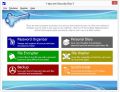
Υπάρχουν αρκετά προγράμματα για να προστατεύουν την ιδιωτικότητα σας και την ασφάλεια του συστήματος, αλλά αυτό συνδυάζει 6 φανταστικά εργαλεία ασφαλείας σε μια εύκολη στην χρήση συλλογή. Έξι γρήγορα εργαλεία για να βελτιώσετε την ασφάλεια των δεδομένων σας καθοδηγώντας σας βήμα-προς-βήμα στον δρόμο για ένα ασφαλέστερο σύστημα! Προσφορά αναβάθμισης μέσα από το 1-abc.net File Washer 6 με έκπτωση! Ειδική προσφορά αναβάθμισης για τους χρήστες του GOTD users: $26.66 αντί των 39.99 (κανονική τιμή).
GIVEAWAY download basket




Προσφορές για iPhone »





Προσφορές για Android »





Σχόλια σχετικά με το 1-abc.net File Washer 6
Please add a comment explaining the reason behind your vote.
Just an ordinary File shredder as many others...
It's OK but 20 bucks opss sorry 19.99 $ for this?
Come on please....let's be serious!!
http://www.dban.org
http://www.puransoftware.com/Wipe-Disk.html (==> Can even delete the files system)
http://hddguru.com/software/HDD-LLF-Low-Level-Format-Tool
And to completely erase individual files and folders, rather than an entire HD:
* (Portable) Privazer
http://privazer.com
* Portable Files Terminator
Great FREE & PORTABLE Italian app designed to completely delete for good any sensitive data stored in your PC, by using the following 8 shredding methods:
One pass Pseudorandom
British HMG IS5
Two pass Russian GOST P50739-95
Three pass US DoD 5220.22M
Seven pass German VSITR
Canadian RCPM TSSIT OPS-II
Bruce Schneier
35-pass Peter Gutmann
http://elefantsoftware.weebly.com/files-terminator.html
* (Portable) Blank And Secure
http://www.softwareok.com/?seite=Microsoft/BlankAndSecure
HINT to the developer: How about focusing on different kind of apps??
My 2 cents....
Save | Cancel
Pros
*Securely erase files and folders
*Supports 11 secure deletion algorithms
*Can add an entry into right-click context menu for easy access to 1-abc.net File Washer
*Supports batch processing
Cons
*Does not support drag + drop
Free Alternatives
Review of best free secure file and folder erasing programs for Windows
Final Verdict
Click here for final verdict and full review
Save | Cancel
Because of the data density of modern hard drives it is apparently much easier to erase the residue of old files.
It is worth checking the effectiveness of any erase program with a decent recovery program just be on the safe side.
Personally in the past the only program I have used to do this is the following:-
http://sourceforge.net/projects/eraser/
It gets a good name and it's free!
Save | Cancel
I thought it was interesting this morning that when I Googled on [w/out quotes] "secure data erasure" I got 145,000 results, "data erasure" = 888,000, while "forensic data recovery" yielded 3,060,000 -- it would seem there are more people interested in recovering your data than there are people worried about stopping that from happening. At any rate some may find the following couple of links useful...
http://en.wikipedia.org/wiki/Data_erasure
http://arstechnica.com/security/2011/03/ask-ars-how-can-i-safely-erase-the-data-from-my-ssd-drive/
One opinion that will crop up a lot if/when you research destroying &/or recovering data, is that encrypting a drive generally works pretty well, as long as you can make sure no one gets the key. Granted the NSA [& similar] can probably get through that encryption, but from what we've been reading in the news there's a good chance that if they really wanted that data, they already had it before you got rid of the key to prevent access. ;)
So why use File Washer? If you follow the link at the top of this page to http://www.1-abc.net/0017/index.htm there's a list of the handy features like moving data to a new folder [I would assume on a different storage device] & automatically erasing the old folder. Overwriting data isn't that hard -- that's why there's so many apps that offer that feature, probably including your security software -- so the difference between app X & app Y is in the value-added stuff & sometimes ease of use [e.g. the popular app Eraser bugs me by wanting to always stay running in the tray].
Do Note: While erasing files may be a step in removing the tracks of what you've been doing, your history is stored all over the place, in the registry, in log files, possibly in logs & such on your ISP's servers & so on. If that's the reason behind wanting to erase files you'd be better off researching staying anonymous, removing all tracks, VMs, Truecrypt, VPNs etc. Researching data forensics can point out not just what recovery's possible, but common.
Save | Cancel
This is an interesting little article and it could save you time when you're trying to clear your old files from being recovered.
**************************
Is the Gutmann method the best method?
No because Gutmann says it no longer is the best…
http://www.dban.org/node/40
*************************
The following article compares a number of free and some portable file erasing programs.
Learn How to Securely Delete Files in Windows
http://www.howtogeek.com/72130/
Save | Cancel